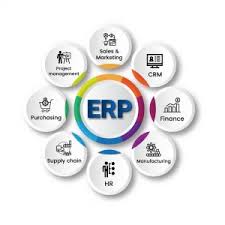
Selecting the right ERP (Enterprise Resource Planning) vendor is one of the most important strategic decisions a company can make. An ERP system impacts nearly every department—finance, operations, human resources, supply chain, and customer management. Choosing the wrong vendor can lead to costly delays, low user adoption, and operational disruptions. Choosing the right one can transform your business.
This step-by-step guide will help you navigate the ERP vendor selection process with confidence.
Step 1: Define Your Business Requirements Clearly
Before contacting any ERP vendor, you must understand your internal needs.
Start by asking:
What problems are we trying to solve?
Which processes need improvement?
What manual tasks can be automated?
Do we need industry-specific features?
Involve key stakeholders from finance, operations, HR, IT, and management. Document both functional requirements (e.g., inventory tracking, financial reporting) and technical requirements (e.g., cloud deployment, integrations, security).
A clear requirement list prevents you from being influenced by flashy features you don’t actually need.
Step 2: Determine Your Budget and Total Cost of Ownership (TCO)
ERP costs go far beyond licensing fees. You must evaluate:
Software subscription or license cost
Implementation and customization fees
Training costs
Maintenance and support fees
Infrastructure costs (if on-premise)
Future upgrade costs
Cloud ERP systems often have lower upfront costs but recurring subscription fees, while on-premise systems require larger initial investments.
Make sure you evaluate total cost of ownership over 5–10 years, not just the first year.
Step 3: Choose Between Cloud and On-Premise ERP
One of the biggest early decisions is deployment type:
Cloud ERP
Lower upfront investment
Accessible from anywhere
Automatic updates
Scalable
On-Premise ERP
Full control over data
Customizable infrastructure
May suit highly regulated industries
Your IT capabilities, security requirements, and long-term strategy should guide this decision.
Step 4: Research and Shortlist ERP Vendors
Once your requirements are defined, start researching reputable vendors.
Some globally recognized ERP vendors include:
SAP
Oracle
Microsoft (Dynamics 365)
NetSuite
Infor
If you’re a small or mid-sized business, also explore regional or industry-focused vendors.
Create a shortlist of 3–5 vendors that match your size, industry, and budget.
Step 5: Evaluate Industry Expertise
Not all ERP systems are built the same. Some vendors specialize in:
Manufacturing
Retail
Healthcare
Construction
Distribution
Ask vendors about:
Case studies in your industry
Existing clients of similar size
Pre-built industry modules
Industry-specific experience can significantly reduce customization costs.
Step 6: Request Demos and Proof of Concept
Never rely only on marketing materials.
Request:
Live product demonstrations
Customized demos based on your workflows
Trial access or proof of concept
During the demo, evaluate:
User interface simplicity
Reporting capabilities
Integration with your current tools
Speed and system performance
Encourage real users—not just executives—to attend demos and provide feedback.
Step 7: Assess Integration and Scalability
Your ERP must integrate with:
CRM systems
E-commerce platforms
Payroll software
Business intelligence tools
Check whether the vendor provides APIs or pre-built integrations.
Also consider future growth:
Can the system handle more users?
Can it support international expansion?
Does it support multi-currency and multi-language?
Scalability ensures your ERP won’t limit your growth.
Step 8: Evaluate Support and Implementation Partners
Even the best ERP software can fail with poor implementation.
Ask vendors about:
Implementation methodology
Timeline estimates
Local support availability
Training programs
Service Level Agreements (SLAs)
If the vendor works with certified partners, evaluate their experience and track record as well.
Step 9: Check Security and Compliance
ERP systems store critical financial and operational data.
Make sure the vendor provides:
Data encryption
Role-based access control
Regular backups
Compliance certifications (ISO, GDPR, etc.)
For cloud solutions, ask where the data is hosted and what security measures protect it.
Step 10: Compare, Score, and Make a Data-Driven Decision
Create a vendor comparison matrix including:
Functionality match
Cost
Ease of use
Industry fit
Support quality
Scalability
Security
Assign weighted scores based on your priorities. This structured approach reduces emotional or biased decisions.